# aman
> Local amanuensis for X11 desktop dictation
Aman is a local X11 dictation daemon for Linux desktops. The supported path is:
install the portable bundle, save the first-run settings window once, then use
a hotkey to dictate into the focused app.
Published bundles, checksums, and release notes live on the
[`git.thaloco.com` releases page](https://git.thaloco.com/thaloco/aman/releases).
Support requests and bug reports go to
[`SUPPORT.md`](SUPPORT.md) or `thales@thalesmaciel.com`.
## Supported Path
| Surface | Contract |
| --- | --- |
| Desktop session | X11 only |
| Runtime dependencies | Installed from the distro package manager |
| Supported daily-use mode | `systemd --user` service |
| Manual foreground mode | `aman run` for setup, support, and debugging |
| Canonical recovery sequence | `aman doctor` -> `aman self-check` -> `journalctl --user -u aman` -> `aman run --verbose` |
| Automated CI floor | Ubuntu CI: CPython `3.10`, `3.11`, `3.12` for unit/package coverage, plus portable install and `aman doctor` smoke with Ubuntu system `python3` |
| Manual GA signoff families | Debian/Ubuntu, Arch, Fedora, openSUSE |
| Portable installer prerequisite | System CPython `3.10`, `3.11`, or `3.12` |
Distribution policy and user persona details live in
[`docs/persona-and-distribution.md`](docs/persona-and-distribution.md).
The wider distro-family list is a manual validation target for release signoff.
It is not the current automated CI surface yet.
## 60-Second Quickstart
First, install the runtime dependencies for your distro:
Ubuntu/Debian
```bash
sudo apt install -y libportaudio2 python3-gi python3-xlib gir1.2-gtk-3.0 gir1.2-ayatanaappindicator3-0.1 libayatana-appindicator3-1
```
Arch Linux
```bash
sudo pacman -S --needed portaudio gtk3 libayatana-appindicator python-gobject python-xlib
```
Fedora
```bash
sudo dnf install -y portaudio gtk3 libayatana-appindicator-gtk3 python3-gobject python3-xlib
```
openSUSE
```bash
sudo zypper install -y portaudio gtk3 libayatana-appindicator3-1 python3-gobject python3-python-xlib
```
Then install Aman and run the first dictation:
1. Download, verify, and extract the portable bundle from the releases page.
2. Run `./install.sh`.
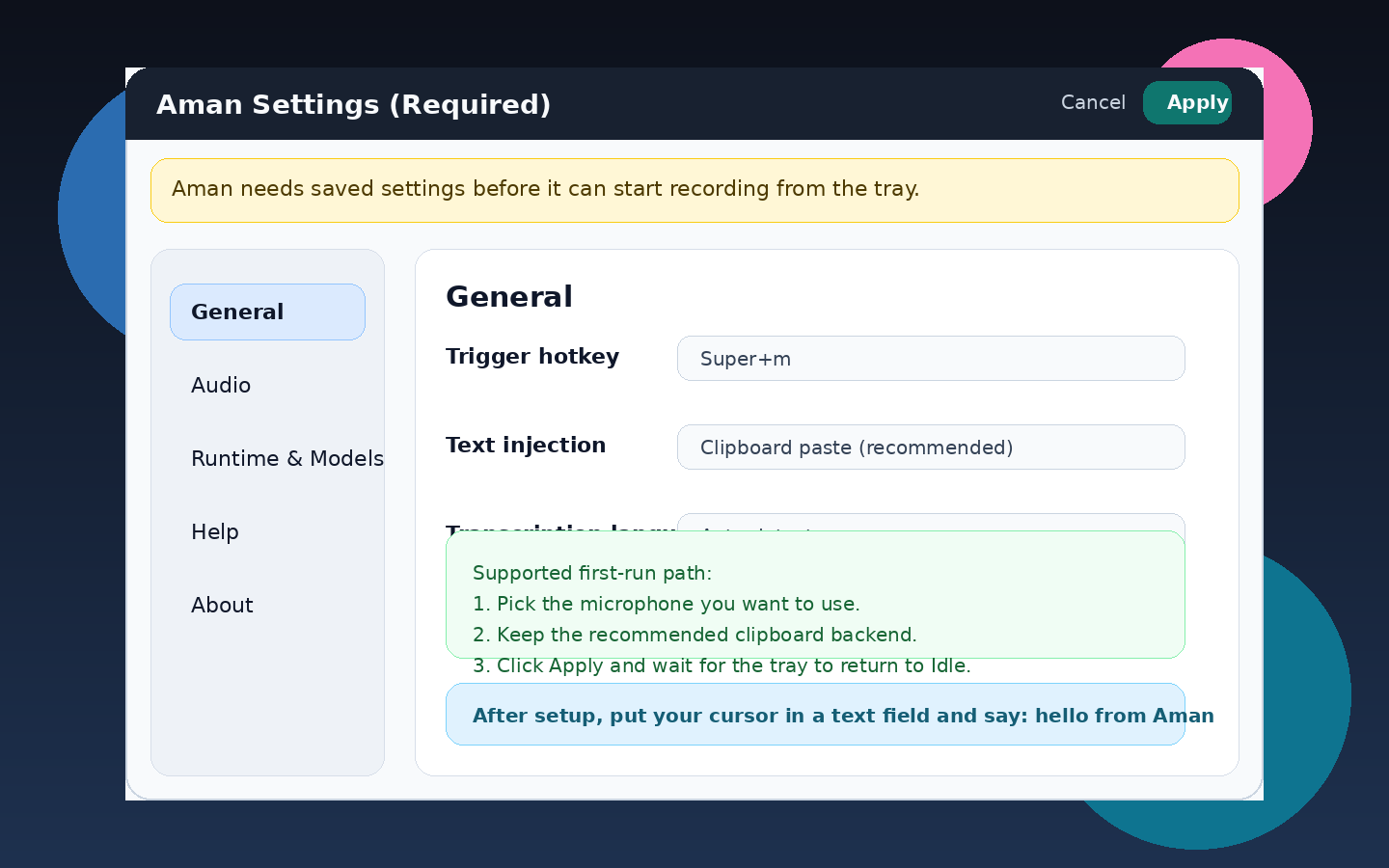
3. When `Aman Settings (Required)` opens, choose your microphone and keep
`Clipboard paste (recommended)` unless you have a reason to change it.
4. Leave the default hotkey `Cmd+m` unless it conflicts. On Linux, `Cmd` and
`Super` are equivalent in Aman, so this is the same modifier many users call
`Super+m`.
5. Click `Apply`.
6. Put your cursor in any text field.
7. Press the hotkey once, say `hello from Aman`, then press the hotkey again.
```bash
sha256sum -c aman-x11-linux-.tar.gz.sha256
tar -xzf aman-x11-linux-.tar.gz
cd aman-x11-linux-
./install.sh
```
## What Success Looks Like
- On first launch, Aman opens the `Aman Settings (Required)` window.
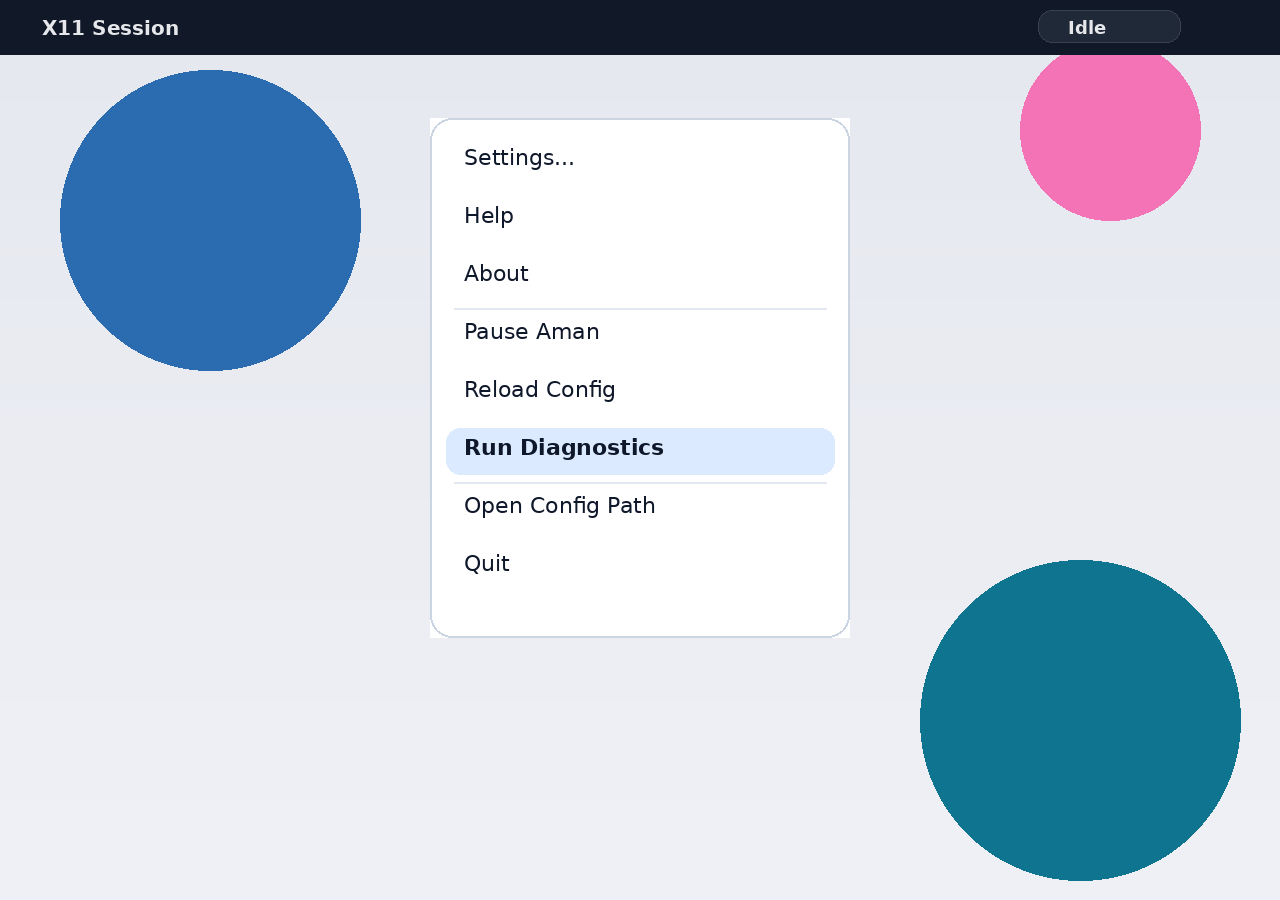
- After you save settings, the tray returns to `Idle`.
- During dictation, the tray cycles `Idle -> Recording -> STT -> AI Processing -> Idle`.
- The focused text field receives text similar to `Hello from Aman.`
## Visual Proof
[Watch the first-run walkthrough (WebM)](docs/media/first-run-demo.webm)
## Validate Your Install
Run the supported checks in this order:
```bash
aman doctor --config ~/.config/aman/config.json
aman self-check --config ~/.config/aman/config.json
```
- `aman doctor` is the fast, read-only preflight for config, X11 session,
audio runtime, input resolution, hotkey availability, injection backend
selection, and service prerequisites.
- `aman self-check` is the deeper, still read-only installed-system readiness
check. It includes every `doctor` check plus managed model cache, cache
writability, service unit/state, and startup readiness.
- Exit code `0` means every check finished as `ok` or `warn`. Exit code `2`
means at least one check finished as `fail`.
## Troubleshooting
- Settings window did not appear:
run `aman run --config ~/.config/aman/config.json` once in the foreground.
- No tray icon after saving settings:
run `aman self-check --config ~/.config/aman/config.json`.
- Hotkey does not start recording:
run `aman doctor --config ~/.config/aman/config.json` and pick a different
hotkey in Settings if needed.
- Microphone test fails or no audio is captured:
re-open Settings, choose another input device, then rerun `aman doctor`.
- Text was recorded but not injected:
run `aman doctor`, then `aman run --config ~/.config/aman/config.json --verbose`.
Use [`docs/runtime-recovery.md`](docs/runtime-recovery.md) for the full failure
map and escalation flow.
## Install, Upgrade, and Uninstall
The canonical end-user guide lives in
[`docs/portable-install.md`](docs/portable-install.md).
- Fresh install, upgrade, uninstall, and purge behavior are documented there.
- The same guide covers distro-package conflicts and portable-installer
recovery steps.
- Release-specific notes for `1.0.0` live in
[`docs/releases/1.0.0.md`](docs/releases/1.0.0.md).
## Daily Use and Support
- Supported daily-use path: let the `systemd --user` service keep Aman running.
- Supported manual path: use `aman run` in the foreground for setup, support,
or debugging.
- Tray menu actions are: `Settings...`, `Help`, `About`, `Pause Aman` /
`Resume Aman`, `Reload Config`, `Run Diagnostics`, `Open Config Path`, and
`Quit`.
- If required settings are not saved, Aman enters a `Settings Required` tray
state and does not capture audio.
## Secondary Channels
- Portable X11 bundle: current canonical end-user channel.
- Debian/Ubuntu `.deb`: secondary packaged channel.
- Arch `PKGBUILD` plus source tarball: secondary maintainer and power-user
channel.
- Python wheel and sdist: developer and integrator channel.
## More Docs
- Install, upgrade, uninstall: [docs/portable-install.md](docs/portable-install.md)
- Runtime recovery and diagnostics: [docs/runtime-recovery.md](docs/runtime-recovery.md)
- Release notes: [docs/releases/1.0.0.md](docs/releases/1.0.0.md)
- Support and issue reporting: [SUPPORT.md](SUPPORT.md)
- Config reference and advanced behavior: [docs/config-reference.md](docs/config-reference.md)
- Developer, packaging, and benchmark workflows: [docs/developer-workflows.md](docs/developer-workflows.md)
- Persona and distribution policy: [docs/persona-and-distribution.md](docs/persona-and-distribution.md)