No description
 Thales Maciel
359b5fbaf4
Thales Maciel
359b5fbaf4
Make the X11 user path visible on first contact instead of burying it under config and maintainer detail. Rewrite the README around the supported quickstart, expected tray and dictation result, install validation, troubleshooting, and linked follow-on docs. Split deep config and developer material into separate docs, add checked-in screenshots plus a short WebM walkthrough, and add a generator so the media assets stay reproducible. Also fix the CLI discovery gap by letting `aman --help` show the top-level command surface while keeping implicit foreground `run` behavior, and align the settings, help, and about copy with the supported service-plus-diagnostics model. Validation: `PYTHONPATH=src python3 -m unittest tests.test_aman_cli tests.test_config_ui`; `PYTHONPATH=src python3 -m unittest discover -s tests -p 'test_*.py'`; `python3 -m py_compile src/*.py tests/*.py scripts/generate_docs_media.py`; `PYTHONPATH=src python3 -m aman --help`. Milestone 4 stays open in the roadmap because `docs/x11-ga/first-run-review-notes.md` still needs a real non-implementer walkthrough. |
||
|---|---|---|
| .github/workflows | ||
| benchmarks | ||
| docs | ||
| packaging | ||
| scripts | ||
| src | ||
| systemd | ||
| tests | ||
| user-readiness | ||
| .gitignore | ||
| AGENTS.md | ||
| CHANGELOG.md | ||
| config.example.json | ||
| Makefile | ||
| pyproject.toml | ||
| README.md | ||
| uv.lock | ||
aman
Local amanuensis for X11 desktop dictation
Aman is a local X11 dictation daemon for Linux desktops. The supported path is: install the portable bundle, save the first-run settings window once, then use a hotkey to dictate into the focused app.
Supported Path
| Surface | Contract |
|---|---|
| Desktop session | X11 only |
| Runtime dependencies | Installed from the distro package manager |
| Supported daily-use mode | systemd --user service |
| Manual foreground mode | aman run for setup, support, and debugging |
| Canonical recovery sequence | aman doctor -> aman self-check -> journalctl --user -u aman -> aman run --verbose |
| Representative GA validation families | Debian/Ubuntu, Arch, Fedora, openSUSE |
| Portable installer prerequisite | System CPython 3.10, 3.11, or 3.12 |
Distribution policy and user persona details live in
docs/persona-and-distribution.md.
60-Second Quickstart
First, install the runtime dependencies for your distro:
Ubuntu/Debian
sudo apt install -y libportaudio2 python3-gi python3-xlib gir1.2-gtk-3.0 libayatana-appindicator3-1
Arch Linux
sudo pacman -S --needed portaudio gtk3 libayatana-appindicator python-gobject python-xlib
Fedora
sudo dnf install -y portaudio gtk3 libayatana-appindicator-gtk3 python3-gobject python3-xlib
openSUSE
sudo zypper install -y portaudio gtk3 libayatana-appindicator3-1 python3-gobject python3-python-xlib
Then install Aman and run the first dictation:
- Verify and extract the portable bundle.
- Run
./install.sh. - When
Aman Settings (Required)opens, choose your microphone and keepClipboard paste (recommended)unless you have a reason to change it. - Click
Apply. - Put your cursor in any text field.
- Press the hotkey once, say
hello from Aman, then press the hotkey again.
sha256sum -c aman-x11-linux-<version>.tar.gz.sha256
tar -xzf aman-x11-linux-<version>.tar.gz
cd aman-x11-linux-<version>
./install.sh
What Success Looks Like
- On first launch, Aman opens the
Aman Settings (Required)window. - After you save settings, the tray returns to
Idle. - During dictation, the tray cycles
Idle -> Recording -> STT -> AI Processing -> Idle. - The focused text field receives text similar to
Hello from Aman.
Visual Proof
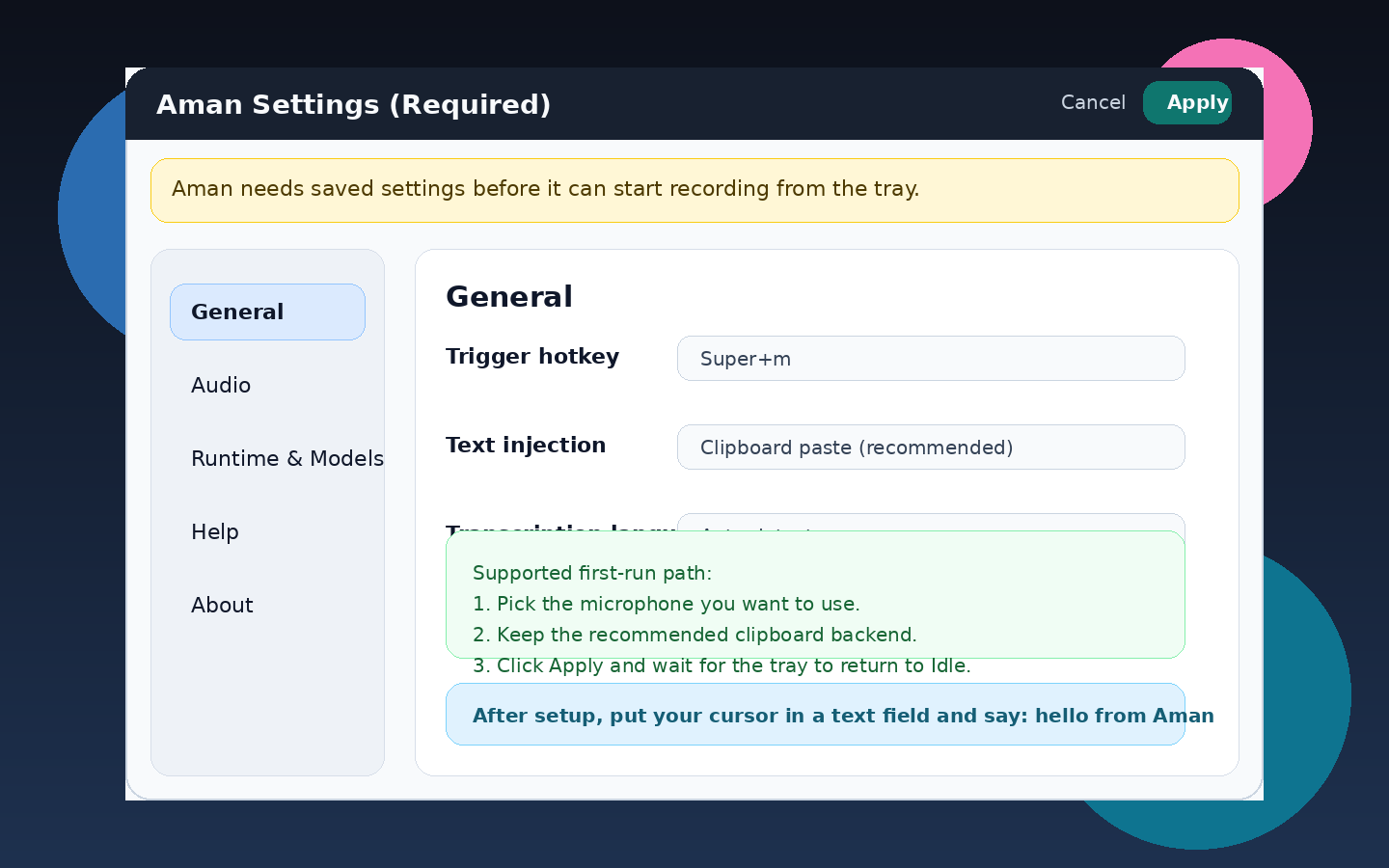
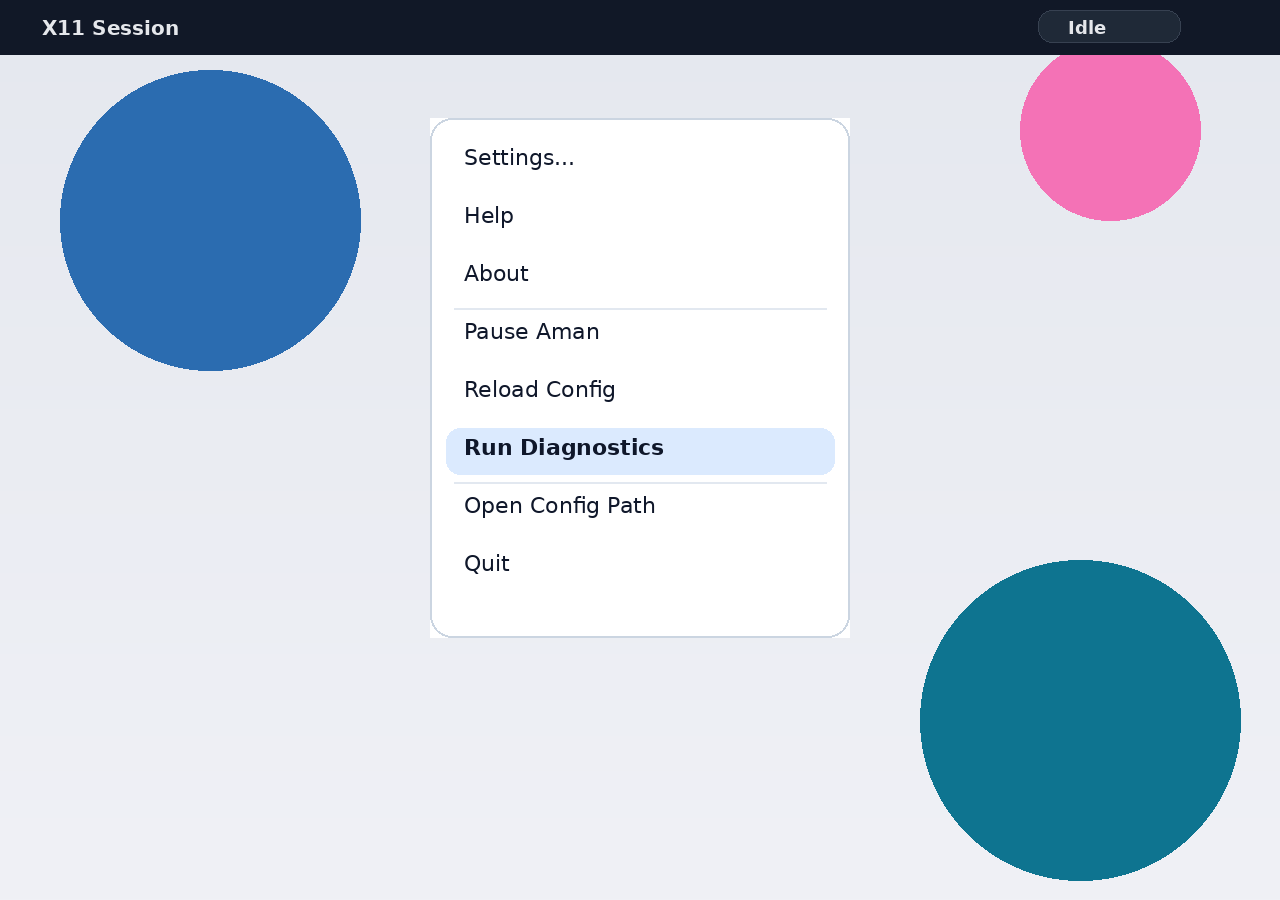
Watch the first-run walkthrough (WebM)
Validate Your Install
Run the supported checks in this order:
aman doctor --config ~/.config/aman/config.json
aman self-check --config ~/.config/aman/config.json
aman doctoris the fast, read-only preflight for config, X11 session, audio runtime, input resolution, hotkey availability, injection backend selection, and service prerequisites.aman self-checkis the deeper, still read-only installed-system readiness check. It includes everydoctorcheck plus managed model cache, cache writability, service unit/state, and startup readiness.- Exit code
0means every check finished asokorwarn. Exit code2means at least one check finished asfail.
Troubleshooting
- Settings window did not appear:
run
aman run --config ~/.config/aman/config.jsononce in the foreground. - No tray icon after saving settings:
run
aman self-check --config ~/.config/aman/config.json. - Hotkey does not start recording:
run
aman doctor --config ~/.config/aman/config.jsonand pick a different hotkey in Settings if needed. - Microphone test fails or no audio is captured:
re-open Settings, choose another input device, then rerun
aman doctor. - Text was recorded but not injected:
run
aman doctor, thenaman run --config ~/.config/aman/config.json --verbose.
Use docs/runtime-recovery.md for the full failure
map and escalation flow.
Install, Upgrade, and Uninstall
The canonical end-user guide lives in
docs/portable-install.md.
- Fresh install, upgrade, uninstall, and purge behavior are documented there.
- The same guide covers distro-package conflicts and portable-installer recovery steps.
Daily Use and Support
- Supported daily-use path: let the
systemd --userservice keep Aman running. - Supported manual path: use
aman runin the foreground for setup, support, or debugging. - Tray menu actions are:
Settings...,Help,About,Pause Aman/Resume Aman,Reload Config,Run Diagnostics,Open Config Path, andQuit. - If required settings are not saved, Aman enters a
Settings Requiredtray state and does not capture audio.
Secondary Channels
- Portable X11 bundle: current canonical end-user channel.
- Debian/Ubuntu
.deb: secondary packaged channel. - Arch
PKGBUILDplus source tarball: secondary maintainer and power-user channel. - Python wheel and sdist: developer and integrator channel.
More Docs
- Install, upgrade, uninstall: docs/portable-install.md
- Runtime recovery and diagnostics: docs/runtime-recovery.md
- Config reference and advanced behavior: docs/config-reference.md
- Developer, packaging, and benchmark workflows: docs/developer-workflows.md
- Persona and distribution policy: docs/persona-and-distribution.md